What You Can Track
- Select AI Agent to filter data across different agents.
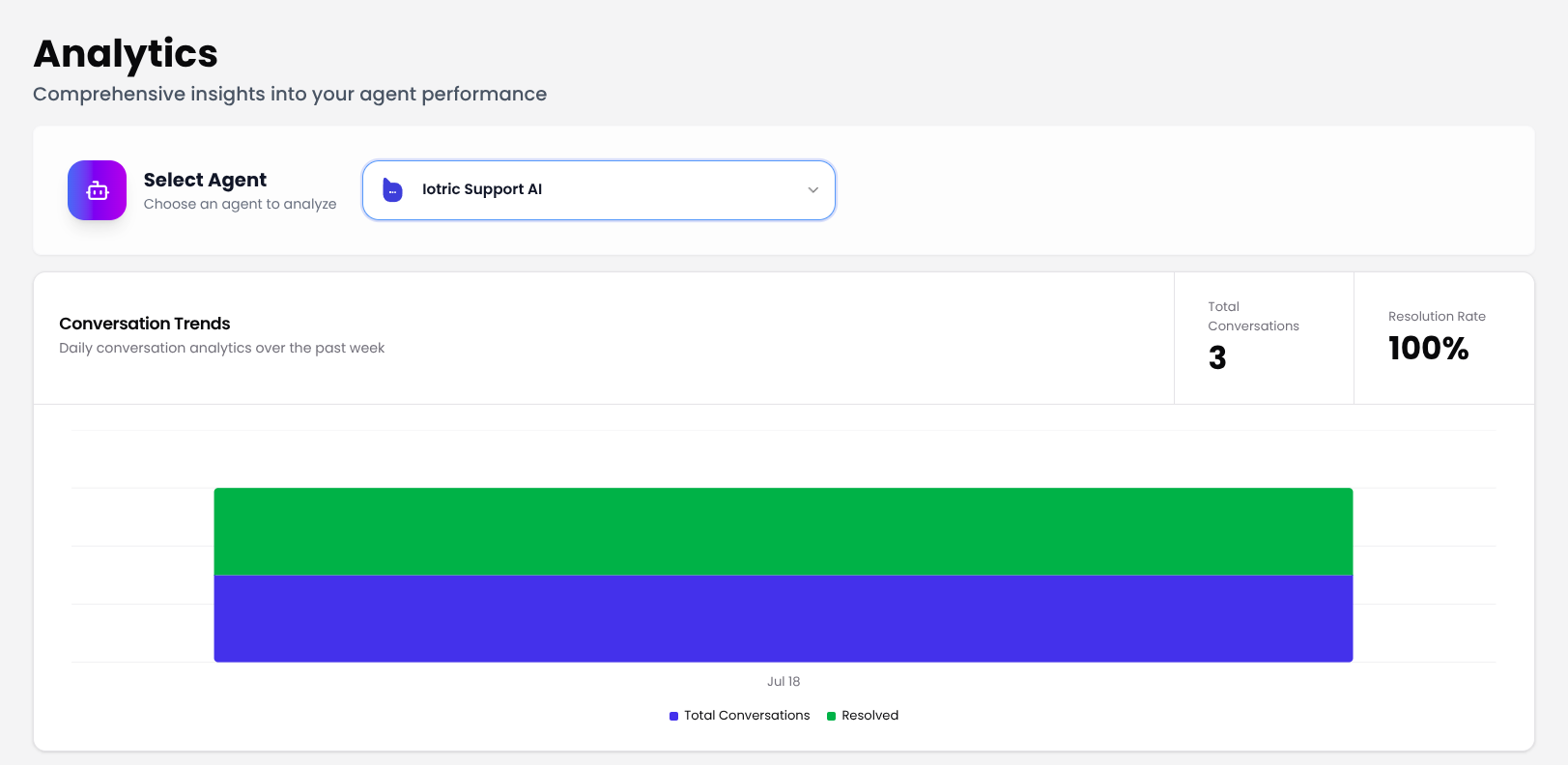
- Monitor daily chat volumes and resolution performance.
- Analyze topics and response categories to spot gaps.
- Track user locations across countries and regions.
- Review recent conversations for quality assurance.
Select Agent
At the top of the Analytics section, use the dropdown menu to choose the AI agent you want to analyze.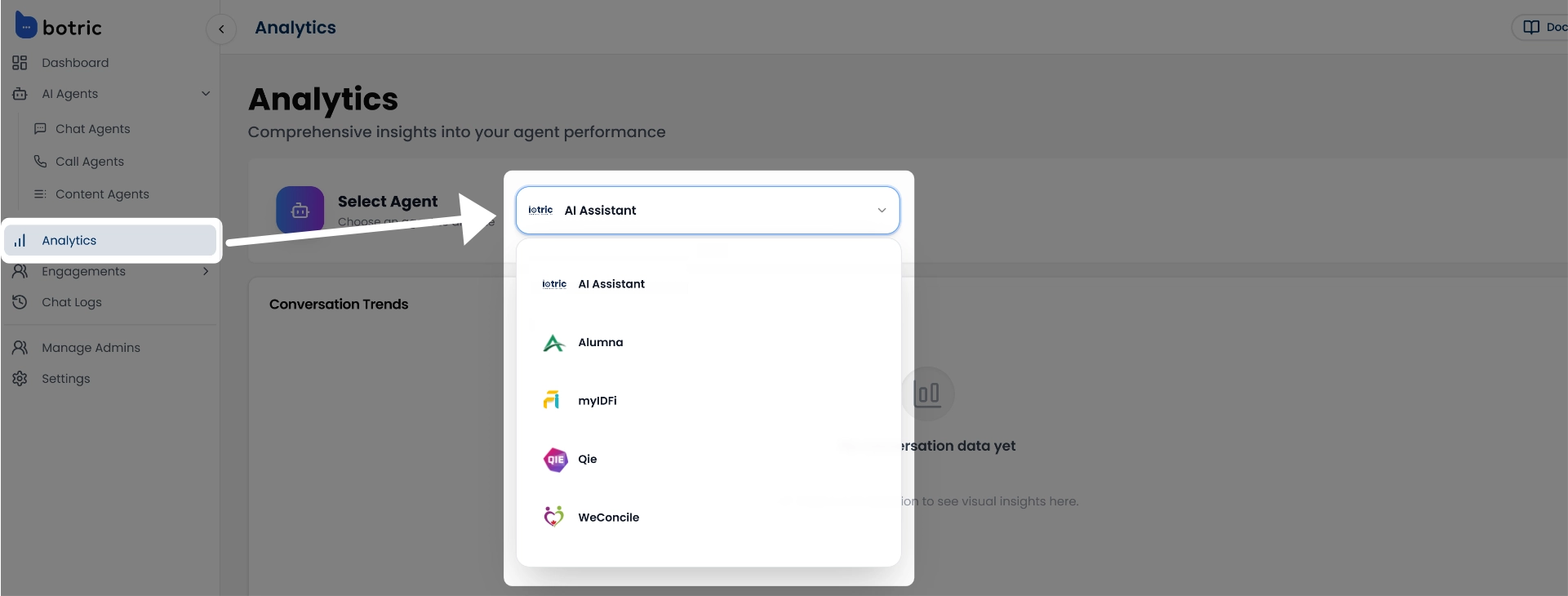
Conversation Trends
The Conversation Trends section offers a detailed overview of your chat agent’s performance over time. It helps you understand how well your agent is engaging with users, resolving their queries, and managing overall interaction load.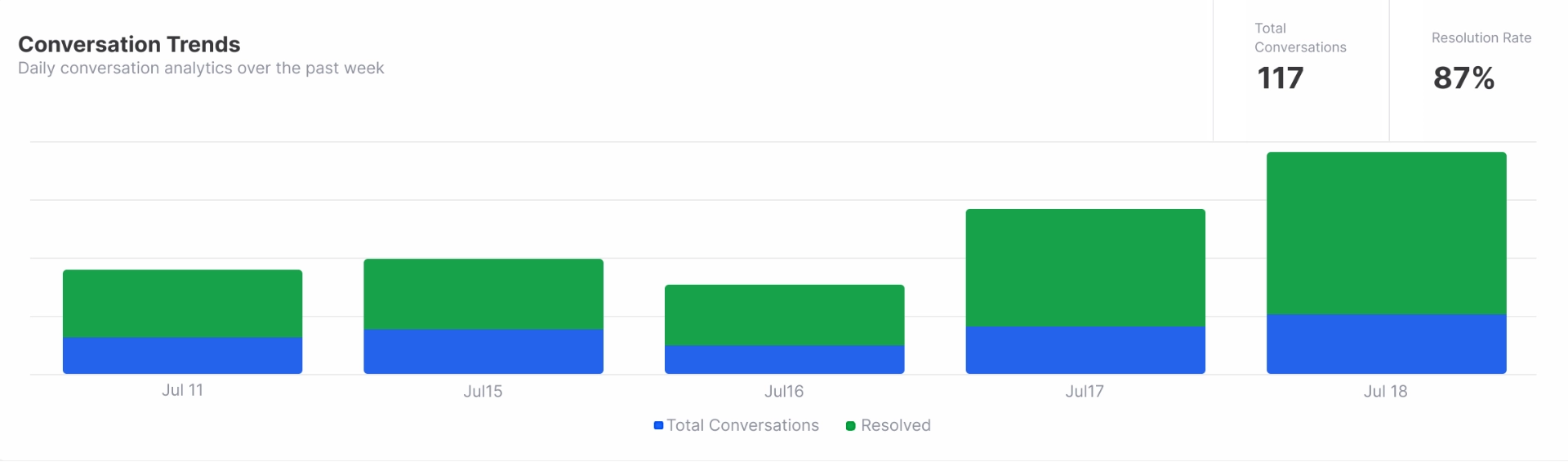
- Total Conversations: The total number of user interactions handled by the selected agent.
- Conversation Volume & Resolution Trends: This graph shows both Total Conversations (all user interactions with the agent) and Resolved Conversations (those that ended with a successful resolution).
- Resolution Rate: The percentage of conversations resolved vs. total conversations.
Conversation Categories
myIDFI AI analyzes each conversation and organizes responses into four key categories: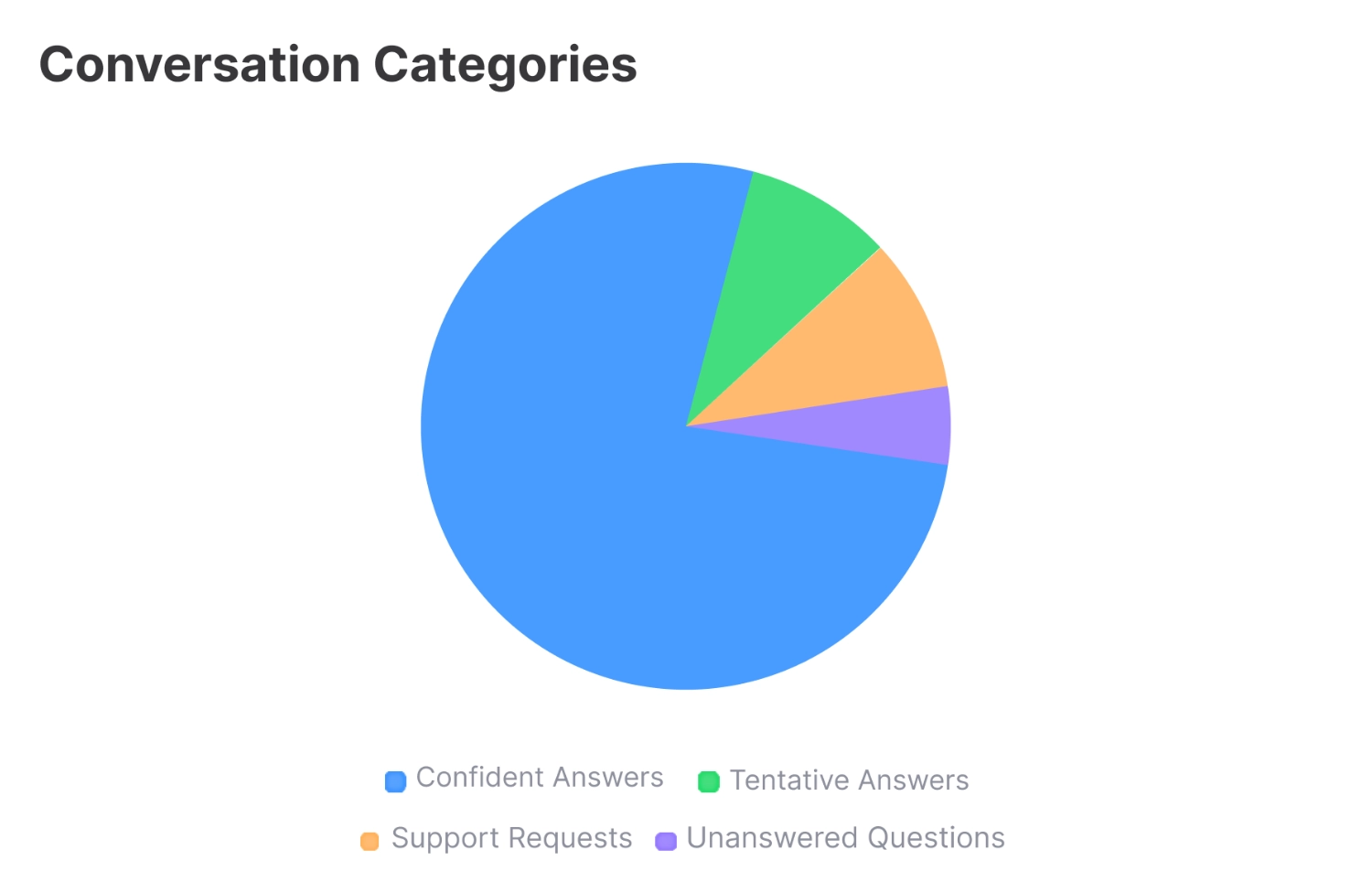
- Confident Answers: These are responses the AI provided with high confidence, based on strong matches from the knowledge sources.
- Tentative Answers: Responses given with lower confidence, useful for spotting where your content might need improvement or clarification.
- Support Requests: Questions that typically require human assistance or fall outside the agent’s current scope. These help identify areas where human-in-the-loop support might be needed.
- Unanswered Questions: Queries the agent couldn’t respond to. These are key opportunities to expand your knowledge base and improve future performance.
Visitor Distribution by Country
This graph provides a percentage-based breakdown of visitor locations, showing where your users are coming from based on total activity on your AI agent.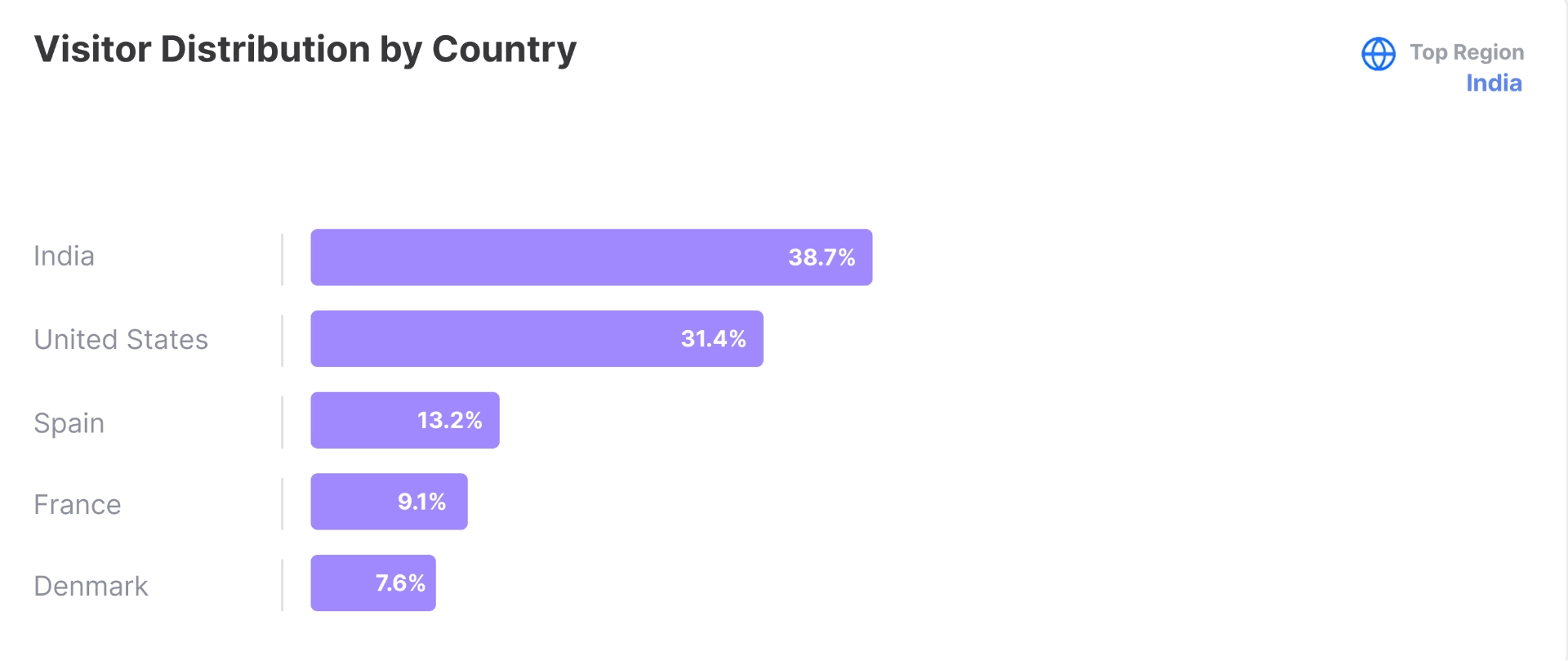
 You’ll get a clear visual of how traffic is distributed by country, highlighting the top regions driving the most engagement.
Understanding your visitor geography helps you prioritize support languages, localize experiences, and optimize outreach in high-performing markets.
You’ll get a clear visual of how traffic is distributed by country, highlighting the top regions driving the most engagement.
Understanding your visitor geography helps you prioritize support languages, localize experiences, and optimize outreach in high-performing markets.
Recent Conversations
The Recent Conversations section provides a quick overview of how your AI agents are engaging with users in real time. Each entry includes:- Timestamp of the Conversation: Shows when the conversation started, helping you track activity by time and date.
- User Query Preview: A short snippet of what the user asked, gives you context on user intent at a glance.
- Agent’s Response Preview: A preview of how your AI agent responded, helping you assess the quality and relevance of replies.
- Message Count: Displays the number of messages exchanged in the conversation, giving you insight into how long or complex the interaction was.